ReddRadar

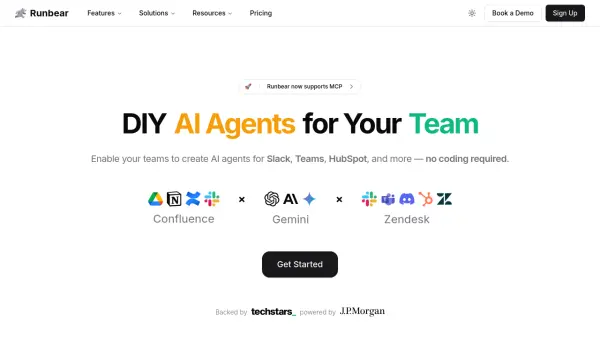
What is Runbear?
Runbear provides a platform for teams to build and implement custom AI agents directly within their existing communication tools, including Slack, Microsoft Teams, Discord, and CRM systems like HubSpot and Zendesk. Users can create specialized AI assistants quickly, often in under 10 minutes, without requiring any coding or technical expertise. It supports integration with popular AI models such as OpenAI's GPT, Anthropic's Claude, and Google's Gemini.
The platform facilitates seamless connection to various knowledge sources like Google Drive, Notion, and Confluence, ensuring the AI agents have access to up-to-date information automatically. This capability allows for the automation of repetitive tasks, such as answering frequently asked questions, summarizing web pages or conversations, routing queries, and even assisting with content creation or proofreading, thereby enhancing team efficiency and collaboration.
Features
- No-Code AI Agent Building: Create AI agents for Slack, Teams, HubSpot, etc., without coding expertise.
- Multi-Platform Integration: Connect AI agents to communication tools (Slack, Teams, Discord) and CRMs (HubSpot, Zendesk).
- Knowledge Source Connection: Integrate with Google Drive, Notion, Confluence, Slack for up-to-date information access.
- Multiple AI Model Support: Utilize models like OpenAI (GPT), Anthropic (Claude), and Google (Gemini).
- Automated Workflow Enhancement: Streamline communication, automate repetitive tasks, and provide instant answers.
- Customizable User Experiences: Design tailored interactions for AI agents.
- MCP Support for Slack: Run Claude with Multi-Channel Presence (MCP) directly in Slack.
Use Cases
- Creating AI teammates for Slack conversations.
- Automating responses to team mentions in Slack.
- Building AI agents using Slack knowledge sources for Q&A.
- Integrating AI assistants with Crisp support via Slack.
- Turning Slack conversations into Google Docs automatically.
- Developing routing chatbots for workplace questions.
- Building custom GPTs powered by HubSpot in Slack.
- Creating chat-enabled Slack daily digests.
- Developing AI chatbots for member onboarding.
- Using chatbots for blog post writing assistance.
- Summarizing web pages posted in Slack.
- Implementing AI-powered Q&A for healthcare or legal services.
- Handling interdepartmental queries with AI.
- Creating personal AI assistants to handle Slack mentions.
- Connecting compliance review assistants to teams.
- Building bots for daily news summarization.
- Analyzing customer sentiment using AI in support tools.
- Creating AI assistants for customer support teams.
- Adding proofreading assistants to Slack.
FAQs
-
Can I integrate my own custom AI application with Runbear?
Yes, Runbear supports integrating custom AI apps, including those built with the Python SDK or specific models like OpenAI Assistants, GPTs, Anthropic Claude, etc. -
Does Runbear access sensitive information from connected knowledge sources?
Runbear's handling of data privacy and sensitivity is outlined in their security and policy documents, accessible via links on their website. Specific access depends on the integration setup. -
Does Runbear store the messages processed by the AI agents?
Runbear's data handling policy regarding message storage can be found in their Terms of Service and privacy documentation. -
Can I customize the AI agents with my company's branding?
Yes, the Team plan and higher tiers offer the ability to customize AI agents with your brand. -
Is specialized support available for setting up AI agents?
Yes, implementation support is included in the Team plan, and the Enterprise plan offers dedicated AI consultation, training, and implementation services.
Related Queries
Helpful for people in the following professions
Runbear Uptime Monitor
Average Uptime
100%
Average Response Time
129.6 ms

Featured Tools
Join Our Newsletter
Stay updated with the latest AI tools, news, and offers by subscribing to our weekly newsletter.