ReddRadar


What is LumoTray?
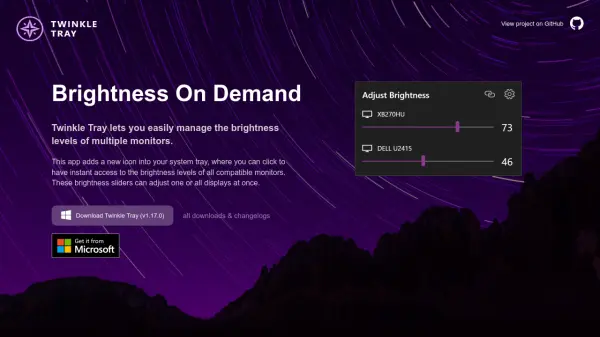
LumoTray offers a powerful multipurpose tray application for Windows users, providing seamless productivity enhancements through accessible custom menus, advanced wallpaper management, and lockscreen customization. Its menu allows an unlimited number of shortcuts and folders, enabling the quick launch of programs, documents, and scripts directly from the system tray with easy reordering and organization.
Designed to optimize the visual workspace, LumoTray supports multi-monitor setups with dynamic wallpaper modes including solid colors, image slideshows, curated Unsplash and Bing images, and more—even for the Windows lockscreen. Fullscreen and screensaver modes expand usability further, allowing users to display images, web content, videos, generative art, or productivity tools like clocks and timers across multiple screens. The tool is free to download and fully functional, with optional licenses available to support development and unlock additional personalization.
Features
- Custom Menus: Create unlimited shortcuts and nested folders for quick access to files, programs, scripts, and documents.
- Wallpaper Manager: Multi-monitor wallpaper control with modes for solid colors, single images, slideshows, Unsplash, Wallhaven, Bing, and NASA images.
- Lockscreen Manager: Applies all wallpaper management functionalities to the Windows lockscreen.
- Fullscreen/Screensaver Modes: Display solid colors, images, slideshows, web pages, videos, and generative art across monitors, with timer and alarm integration.
- Easy Reordering: Effortlessly add, remove, and reorder menu items.
- Minimal Registration Reminders: Licensing removes weekly registration notifications and unlocks further personalization.
Use Cases
- Organize frequently used programs and scripts for rapid access from the Windows tray.
- Set dynamic wallpapers or video backgrounds across multiple monitors for personal or professional environments.
- Customize the Windows lockscreen with rotating images or daily-curated backgrounds.
- Use fullscreen and screensaver modes for office displays, ambient art, or productivity dashboards.
- Launch business-critical documents or applications instantly through custom menus.
FAQs
-
Is the software free to use?
Yes, LumoTray is entirely free to download and use, with all features enabled. Licensing is optional and provides additional personalization and disables reminders. -
Can I use different wallpapers for each monitor?
Yes, LumoTray's wallpaper manager allows different configurations and modes for each monitor, including images, slideshows, and web-sourced backgrounds. -
What happens if I buy a license?
Purchasing a license disables weekly registration reminders, personalizes your about section, and removes the 'unregistered' tooltip, while supporting future development. -
How do I report a bug or request a feature?
You can report issues or request features using the app’s feedback form or by emailing support at [email protected].
Related Queries
Helpful for people in the following professions

Featured Tools
Join Our Newsletter
Stay updated with the latest AI tools, news, and offers by subscribing to our weekly newsletter.