ReddRadar

What is usewingmanai.com?
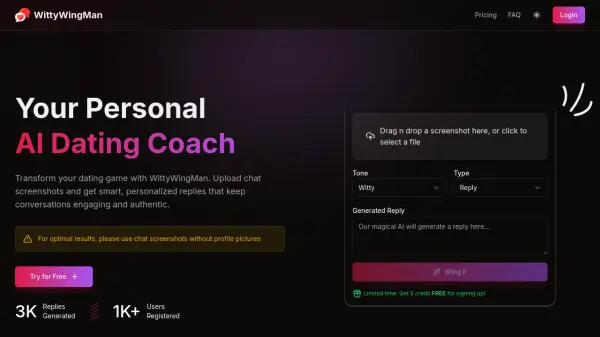
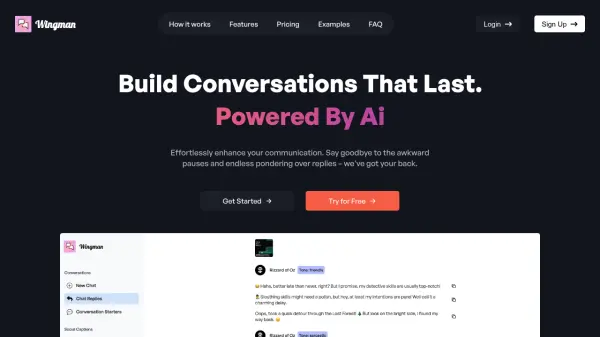
Wingman is an innovative AI-powered communication tool designed to enhance everyday conversations and social media interactions. The platform analyzes conversation screenshots to provide personalized response suggestions, helping users maintain engaging and natural dialogues across various contexts.
The tool offers versatile features including multilingual support, customizable response tones, and social media caption generation. Whether users need help breaking the ice, maintaining conversation flow, or crafting the perfect social media caption, Wingman provides tailored suggestions while maintaining user privacy through automatic deletion of uploaded content.
Features
- Screenshot Analysis: Process conversation screenshots for contextual understanding
- Multilingual Support: Generates replies in various languages
- Tone Customization: Adjustable response tones from casual to professional
- Social Media Captions: AI-generated captions for uploaded images
- Conversation Starters: Engaging ice breakers and openers
- Privacy Protection: Automatic deletion of uploaded content after generation
Use Cases
- Breaking ice in new conversations
- Maintaining engaging social media presence
- Responding to messages in different languages
- Creating compelling social media captions
- Professional communication enhancement
- Cross-cultural communication support
FAQs
-
Do I have to upload a screenshot everytime?
Currently, the AI Model relies on screenshots to generate specific replies for you. They are exploring ways to ease the process. -
What happens to my chats after uploading?
Chats are not stored by the AI Model and are automatically deleted after every generation to ensure privacy and security. -
Will my friends know that my replies were from Wingman?
Each reply is unique to the given context and users can tweak and adjust the replies to their liking. -
What kind of screenshots should I upload?
Upload screenshots with only the context within which you'd like a response. Full page screenshots of conversations may not yield the best results.
Related Queries
Helpful for people in the following professions

Featured Tools
Join Our Newsletter
Stay updated with the latest AI tools, news, and offers by subscribing to our weekly newsletter.