ReddRadar


What is trace-ai.app?
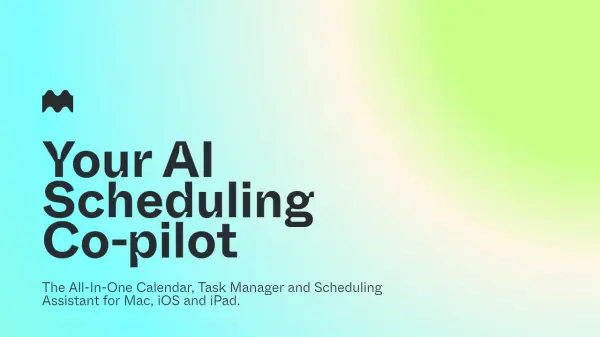
Trace is an AI-powered scheduling solution designed to eliminate the complexity of calendar management. It leverages advanced AI models, including GPT and Gemini, to transform natural language, images, and voice notes into precise calendar events instantly, allowing users to schedule, update, and manage their tasks with minimal input and maximum accuracy.
Compatible with iPhone, iPad, and Mac, Trace integrates seamlessly with Google Calendar, Apple Calendar, and Outlook. The app ensures your data stays private by storing it locally, supports hands-free controls via Apple Shortcuts, and offers context-aware smart reminders to keep you focused and productive throughout your day.
Features
- Instant AI Scheduling: Creates and updates events instantly from natural text, images, or voice.
- Multi-Modal Input: Supports text, screenshots, and voice notes as scheduling commands.
- Context-Aware Smart Reminders: Sends reminders with relevant context and motivation.
- Calendar Integration: Free integration with Google Calendar, Apple Calendar, Outlook, and more.
- Hands-Free Scheduling: Compatible with Apple Shortcuts and widgets for quick, touchless access.
- Bulk Event Creation: Allows creation of multiple events at once.
- Cross-Device Support: Single subscription covers iPhone, iPad, and Mac.
- Local Data Storage: Ensures privacy by storing data only on the user's device.
Use Cases
- Automatically schedule meetings using voice commands.
- Convert a photo of a timetable into calendar events.
- Organize daily tasks by speaking or typing them.
- Sync and streamline events from multiple calendars in one app.
- Set context-specific reminders for deadlines or appointments.
- Quickly add events on-the-go with Apple Shortcuts integration.
FAQs
-
Can I import Apple, Google, or Outlook calendars?
Yes. Any Google or Outlook calendars already added to your Apple Calendar are automatically synced with Trace. Alternatively, you can add them via Settings > Calendar > Accounts. -
What AI models does Trace use?
Trace utilizes multiple models, including GPT and Gemini, each selected for optimal task performance. -
Is my data stored on your servers?
No. Your data is stored locally on your device. While Trace leverages OpenAI and Gemini APIs, your data is not used for training those models. -
Does one purchase work on all devices?
Yes. A single subscription covers iPhone, iPad, and Mac, with no additional cost for extra devices. -
How can I add events?
Events can be added via natural text, images (screenshots), or voice commands.
Related Queries
Helpful for people in the following professions
trace-ai.app Uptime Monitor
Average Uptime
99.45%
Average Response Time
340.08 ms

Featured Tools
Join Our Newsletter
Stay updated with the latest AI tools, news, and offers by subscribing to our weekly newsletter.