ReddRadar

What is SwiftServer?
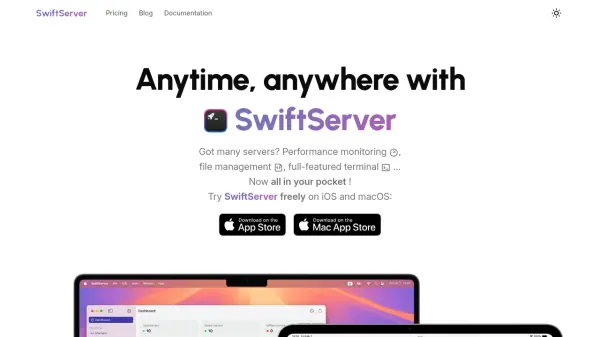
SwiftServer is a dedicated server monitoring and management application designed for sysadmins, developers, and IT professionals who require access, control, and insight into their servers from any iOS or macOS device. With its intuitive interface, users can oversee vital resources including CPU, memory, storage, network, Docker containers, and GPU performance in real-time, ensuring optimal system health and rapid response to issues.
Beyond performance tracking, the app features secure SFTP file transfer, customizable SSH terminal access, bulk script execution, and comprehensive management of server accounts, keys, and users. SwiftServer prioritizes user privacy by ensuring all server data is stored locally on the device with secure iCloud sync. Whether monitoring a single machine or an entire fleet, users benefit from cross-device compatibility and robust customization options—all without additional software installations on their servers.
Features
- Real-Time Server Insights: Monitor CPU, memory, storage, network, GPU, and Docker containers with instant updates.
- Cross-Device Sync: Seamlessly sync server data and configurations across iPhone, iPad, and MacBook using iCloud.
- Full-Featured Terminal: Secure SSH access to servers from mobile and desktop Apple devices.
- Advanced SFTP File Management: Upload, download, preview, and edit files securely via SFTP.
- Code Snippet Execution: Save and run frequently-used scripts in batches with one click.
- Unlimited Server Management: Add, organize, and manage an unlimited number of servers and keys.
- Customizable Terminal: Personalize terminal visuals with adjustable fonts, colors, and backgrounds.
- Comprehensive Resource Tracking: Track processes, storage partitions, bandwidth usage, and IP geolocation.
Use Cases
- Remote server performance monitoring for IT administrators.
- Batch script execution and log management for DevOps engineers.
- Continuous Docker container resource tracking for AI researchers.
- Mobile SSH and file management for on-the-go developers.
- Cross-device synchronization of server access and management configurations.
- Real-time alerting and resource tracking for operations managers.
FAQs
-
What is the cost of the free plan?
The free plan offers core server monitoring, terminal access, SFTP file management, and basic management tools at no charge. -
How much does the SwiftServer Premium Monthly/Annual plan cost?
The Premium plan is priced at $1.99 per month or $23.88 annually. -
How much does the SwiftServer Premium lifetime plan cost?
The lifetime access plan for SwiftServer costs $34.99 with a one-time payment. -
Can I change or cancel my subscription plan?
Yes, subscription plans can be changed or canceled at any time via the Apple App Store or within the app. -
Is there a trial period for the paid plans?
Yes, SwiftServer offers a free trial allowing users to experience premium features before purchasing.
Related Queries
Helpful for people in the following professions
SwiftServer Uptime Monitor
Average Uptime
100%
Average Response Time
132.4 ms

Featured Tools
Join Our Newsletter
Stay updated with the latest AI tools, news, and offers by subscribing to our weekly newsletter.