ReddRadar

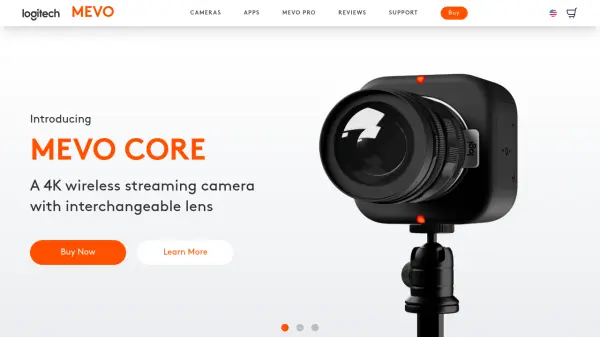
What is mevo.com?
Mevo provides a streamlined solution for live streaming and video production through its integrated system of cameras (like Mevo Core and Mevo Start) and dedicated mobile applications. It simplifies the process of creating professional-quality live content, making advanced techniques accessible even for beginners. Users can control their entire production wirelessly from a smartphone or tablet using the Mevo apps.
The platform allows for dynamic editing during live streams, including pans, zooms, and cuts, managed through intuitive gesture controls within the app. A key feature is the AI-powered Auto-Pilot mode, which automatically detects faces and applies editing rules to follow the action, creating engaging content with minimal manual intervention. Mevo supports direct streaming to popular platforms like Facebook Live, YouTube, and Twitch, and can also function as a high-quality wireless webcam for video conferencing applications.
Features
- Multi-Camera Streaming: Control multiple Mevo cameras via the Multicam App.
- Wireless Camera Control: Manage video settings, streaming, and editing from a smartphone.
- AI Auto-Pilot: Automatically tracks faces and performs live edits.
- Gesture Controls: Use pinch-to-zoom, tap-to-cut, and swipe-to-pan for manual editing.
- Direct Platform Streaming: Stream instantly to Facebook Live, YouTube, Twitch, and more.
- Webcam Functionality: Use Mevo cameras as wireless webcams (requires Mevo Webcam App).
- Custom Graphics: Add lower thirds, corner bugs, and full-screen images.
- HDR Support: High Dynamic Range for improved image quality.
- Audio Mixing: Mix internal camera audio with external audio feeds.
Use Cases
- Live streaming events like conferences, performances, or sports.
- Creating professional video content for social media.
- Using as a high-quality webcam for video conferencing and online meetings.
- Automating video production with AI face tracking.
- Producing multi-camera streams without complex hardware.
- Adding professional graphics to live streams.
Related Queries
Helpful for people in the following professions

Featured Tools
Join Our Newsletter
Stay updated with the latest AI tools, news, and offers by subscribing to our weekly newsletter.