ReddRadar


What is Luvvoice?
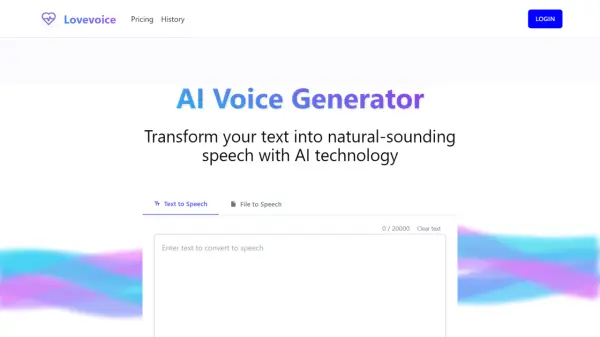
Luvvoice transforms written text into natural-sounding speech using advanced AI voice generation technology. The platform delivers high-quality audio that closely mimics human voice characteristics, including proper tone and emotional nuances.
With support for over 70 languages and 200 different AI voices, users can easily convert text by simply typing or pasting content, selecting their preferred language and voice style, and generating the audio. The tool also supports document conversion from common formats like PDF and TXT, making it versatile for content creators, educators, marketers, and accessibility purposes.
Features
- Real AI Voice: Uses deep learning to generate realistic human-like speech
- Language Variety: Over 200 voices in more than 70 languages available
- Document Conversion: Supports PDF and TXT file uploads for audio conversion
- Adjustable Speech: Control speech rate and pitch for customized output
- Extended Character Limits: Up to 20,000 characters per conversion for paid users
- Audio Storage: Generated audio saved for 72 hours
- Pause Controls: Add timed pauses (0.5s to 5s) for better speech pacing
Use Cases
- Creating voiceovers for YouTube videos and TikTok content
- Developing accessible content for visually impaired website users
- Producing audio for podcasts and educational materials
- Learning new languages through audio pronunciation
- Reading books aloud for listening on-the-go
- Creating voice content for TV and media productions
- Converting educational documents to audio for learning
How It Works
Input Your Text
Paste or type the text you want to convert into the text editor, or upload a PDF or TXT document.
Select Language and Voice
Choose from over 70 languages and 200 voices to find the perfect match for your content.
Customize Speech Settings
Adjust speech rate and pitch if desired, and add pauses for better pacing (for logged-in users).
Generate Audio
Click the 'Generate' button to convert your text into speech.
Download or Listen
Listen to the generated audio directly or download it as an MP3 file for use in your projects.
FAQs
-
How can I add pauses in the text?
For logged-in users, you can use the Pauses button in the toolbar to insert pauses of different durations (0.5s to 5s). Simply place your cursor where you want the pause, then select the desired duration from the Pauses menu. This gives you precise control over the timing and pacing of the speech. For optimal results, we recommend not exceeding 20 pauses per single conversion. -
How do I convert text to speech?
Converting text to speech is easy. Simply paste or type the text into the designated text box, choose the language for the text and your preferred voice style, and click the 'Submit' button to initiate the process. The text will be processed, and you can download the audio file. -
How many characters can I convert with the free plan?
The free plan allows you to convert up to 20,000 characters per month. -
Can I use the generated audio for commercial purposes?
Yes, you have full ownership of the generated audio files. You can freely use them in your YouTube videos, podcasts, social media content, or any other commercial projects, as long as the usage complies with local laws and regulations. -
What formats can I download the audio in?
When you use Luvvoice AI Voice Generator to convert text to speech, the audio can be easily downloaded in MP3 format. This is a very common audio format that most devices can play, making it easy for you to listen to your content anywhere.
Related Queries
Helpful for people in the following professions
Luvvoice Uptime Monitor
Average Uptime
100%
Average Response Time
147.89 ms

Featured Tools
Join Our Newsletter
Stay updated with the latest AI tools, news, and offers by subscribing to our weekly newsletter.