ReddRadar


What is Inboard?
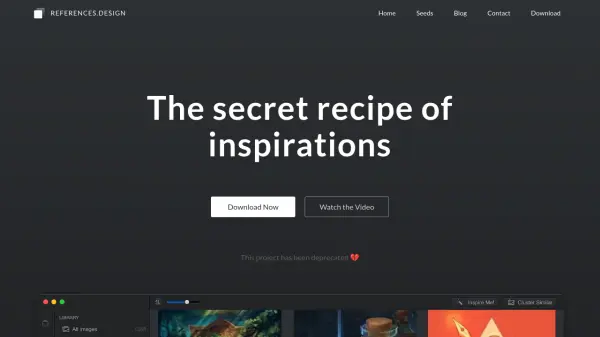
Inboard delivers a seamless workflow for creatives who need to collect and organize visual inspiration. Designed as a native Mac app, it focuses on speed and simplicity, allowing users to arrange screenshots, images, and photos without the distractions and limitations of web-based platforms. The visually appealing, Pinterest-like grid ensures an enjoyable full-screen browsing experience, with support for popular file formats such as PNG, JPG, GIF, PSD, AI, and PDF.
With features like full-page screenshot capture via browser extensions, automatic saving of page titles and URLs, robust tagging and folder organization, and easy import/export functionality, Inboard helps designers, photographers, and developers keep their inspiration accessible and well-structured. Compatibility with the latest macOS systems ensures crisp visuals and smooth performance on all modern Macs.
Features
- Pinterest-Like Grid View: Browse images in an attractive, full-screen masonry grid.
- Full-Page Screenshot Capture: Save complete webpages using browser extensions for Chrome, Safari, and Firefox.
- Tag Organization: Assign and quickly browse images by tags using a dedicated all-tags view.
- Multi-Format Support: Compatible with PNG, JPG, GIF, PSD, AI, and PDF files.
- Native Mac App: Optimized for speed and macOS, including Retina display readiness.
- Easy Import/Export: Quickly migrate libraries when reinstalling or moving to a new Mac.
- Automatic Metadata Saving: Page titles and URLs are saved with screenshots for reference.
Use Cases
- Organizing and browsing reference images for design inspiration.
- Creating mood boards for creative projects.
- Tagging and categorizing large photo or image collections.
- Capturing full-page website screenshots for research or UI/UX review.
- Quickly accessing and reviewing Dribbble shots on a desktop.
- Preparing visual assets for professional or educational presentations.
FAQs
-
Which file formats does Inboard support?
Inboard supports PNG, JPG, GIF, PSD, AI, and PDF file formats. -
Can I capture full-page screenshots with Inboard?
Yes, Inboard provides browser extensions for Chrome, Safari, and Firefox to capture full-page screenshots. -
Is Inboard compatible with the latest Mac and macOS versions?
Yes, Inboard is designed to work seamlessly with the latest Macs and versions of macOS, including support for Retina displays. -
Can I organize images using tags?
Yes, Inboard lets users assign tags to images and quickly browse collections via an all tags view. -
Is there an easy way to migrate my image library to another Mac?
Yes, Inboard offers export and import functionality to facilitate easy migration of your image library.
Related Queries
Helpful for people in the following professions
Inboard Uptime Monitor
Average Uptime
99.68%
Average Response Time
384.85 ms

Featured Tools
Join Our Newsletter
Stay updated with the latest AI tools, news, and offers by subscribing to our weekly newsletter.