ReddRadar


What is FastKeys?
FastKeys empowers users to automate a wide variety of tasks on their Windows computers, combining functionalities such as text expansion, macro recording, customizable shortcuts, mouse gestures, and a robust clipboard manager. The tool is engineered for professionals seeking to save time by abbreviating frequently used text, correcting typing errors automatically, and accessing a fully configurable start menu tailored to individual workflow requirements.
FastKeys stands out for its intuitive interface, tiny memory footprint, and compatibility with any Windows application. With a vast command library, advanced text templates, manual input forms, and extensive customer support, it allows users to automate virtually any repetitive process. Secure, unobtrusive, and available in multiple languages, FastKeys enhances efficiency for business and personal use alike.
Features
- Text Expander: Abbreviate and expand frequently used text to save time.
- Start Menu: Fully configurable menus for launching any program or script.
- Shortcuts: Keyboard shortcuts for rapid execution of applications or scripts.
- Mouse Gestures: Automate actions using customizable mouse movements.
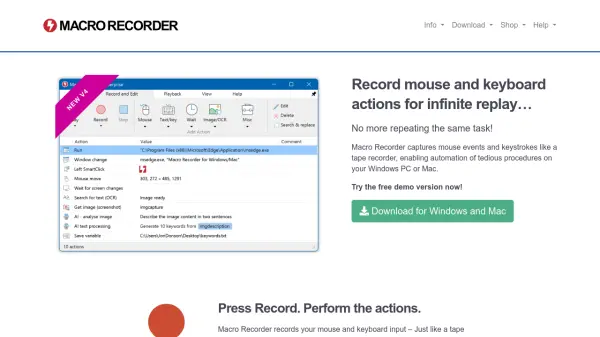
- Macro Recorder: Record keystrokes and mouse actions for playback automation.
- Clipboard Manager: Track and recover items copied to clipboard history.
- Universal Spelling Correction: Real-time correction of typing mistakes.
- Customizable Templates: Create advanced text templates with input fields and selection forms.
- Lightweight and Secure: Minimal memory usage, no adware, and safe for all systems.
- Extensive Command Library: Over 500 ready-to-use automation commands.
Use Cases
- Automating repetitive data entry in business applications
- Speeding up email responses with text macros
- Correcting common typing mistakes on the fly
- Launching frequently used programs or URLs with custom menus
- Recording and replaying complex workflows for productivity
- Managing and pasting clipboard history
- Executing powerful command scripts using keyboard or mouse gestures
- Enhancing accessibility for users with motor difficulties
FAQs
-
Is FastKeys compatible with all Windows applications?
Yes, FastKeys is designed to work seamlessly with any application on Windows. -
Does FastKeys offer a free trial?
Yes, a fully working free trial edition of FastKeys is available with occasional friendly pop-up messages. -
Are enterprise licenses and volume discounts available?
Multi-user business licenses with volume discounts are available, and enterprise editions can be requested by contacting support. -
Can FastKeys be used in different languages?
Yes, FastKeys is available in multiple languages including German, Spanish, French, and Russian.
Related Queries
Helpful for people in the following professions
FastKeys Uptime Monitor
Average Uptime
100%
Average Response Time
387.27 ms

Featured Tools
Join Our Newsletter
Stay updated with the latest AI tools, news, and offers by subscribing to our weekly newsletter.