ReddRadar

What is Curtain MonGuard?
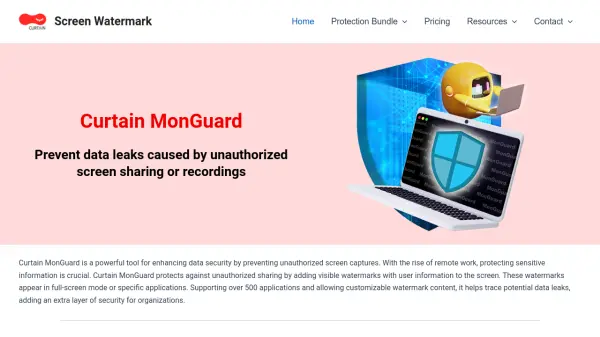
Curtain MonGuard is a robust security solution designed to protect confidential information by displaying visible, customizable watermarks on entire screens or within specific applications. By embedding user-identifiable information—such as computer name, username, IP address, and date/time—these watermarks serve as both a deterrent against unauthorized sharing and a means for tracing data leaks.
Tailored for organizations, the platform features a centralized management console for unified deployment and administration, supports integration with Active Directory and LDAP, and allows for advanced customization of watermark appearance and content. With capabilities like auto color selection, password-protected uninstallation, and dot matrix (invisible) watermarking, Curtain MonGuard scales across hundreds of applications, making it an essential tool for businesses managing remote work, compliance, and confidential document handling.
Features
- Full-Screen Watermark: Displays watermarks across the entire desktop to deter unauthorized sharing.
- Application Watermark: Applies watermarks to specific applications for flexible data protection.
- Customized Content: Allows administrators to include user details, date, time, and more within watermarks.
- Auto Color Selection: Automatically adjusts watermark color for optimal visibility.
- Unified Management: Centralized console for streamlined policy deployment and monitoring.
- Password-Protected Uninstallation: Restricts software removal to authorized personnel.
- Active Directory and LDAP Integration: Enables seamless large-scale deployment and user management.
- Dot Matrix Watermark: Adds nearly invisible, traceable patterns to identify data leaks (upcoming feature).
- Centralized Policy Configuration: Ensures uniform security policies across all devices.
- Technical Support and Updates: Dedicated support and regular performance improvements for paid users.
Use Cases
- Ensuring internal compliance audit transparency by watermarking sensitive screen content.
- Protecting CCTV footage from unauthorized screen captures or recordings.
- Safeguarding proprietary information during training sessions and presentations.
- Preventing accidental or intentional social media leaks by tracking potential sources.
- Securing confidential document reviews across finance, healthcare, and technology sectors.
FAQs
-
What is the difference between the free and paid versions?
The free version offers essential screen watermarking features, while the paid version adds advanced capabilities like username and IP address watermarking, password-protected uninstallation, dot matrix watermark, technical support, and software updates. -
Can watermarks be customized with specific information?
Yes, administrators can customize watermark content to include details such as date, time, username, hostname, and IP address, as well as adjust the design to match organizational style. -
Is it possible to deploy Curtain MonGuard across multiple computers?
Yes, the solution supports centralized administration and bulk deployment through integration with Active Directory and LDAP. -
How does Curtain MonGuard help with compliance requirements?
By ensuring sensitive information is always marked with user-identifiable data, it supports regulatory compliance and allows organizations to track data access and deter unauthorized sharing.
Related Queries
Helpful for people in the following professions
Curtain MonGuard Uptime Monitor
Average Uptime
100%
Average Response Time
102.37 ms

Featured Tools
Join Our Newsletter
Stay updated with the latest AI tools, news, and offers by subscribing to our weekly newsletter.